
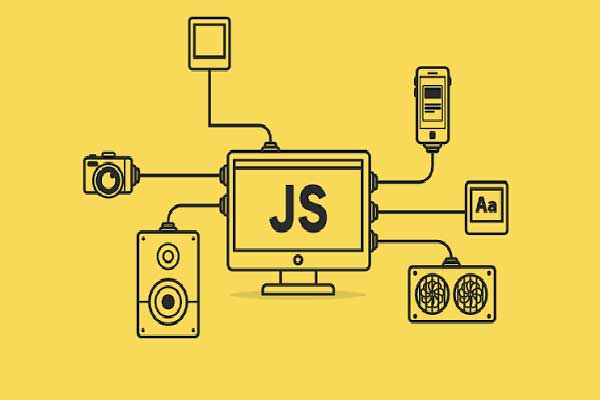
About Course
You about to learn the core concept of frontend programming where you can manipulate the user interface at will. Let’s get started.
What Will You Learn?
- You will learn the fundamentals of JavaScript, including variables, data types, operators, conditions, loops, functions, arrays and objects.
- You will explore modern JavaScript concepts and learn how to write cleaner, You will also learn how to create interactive websites using the DOM, events, forms, browser storage and APIs.
- By the end of the course, you will be able to apply the knowledge in this course to build practical and interactive JavaScript applications.
Course Content
Module 1: Introduction to JavaScript
Let's get started!
-
Lesson 1: What is JavaScript?
-
Lesson 2: History and evolution of JavaScript
-
Lesson 3: JavaScript vs HTML and CSS
-
Lesson 4: What JavaScript can do
-
Lesson 5: Where JavaScript is used
-
Lesson 6: JavaScript in modern web development
-
Lesson 7: Setting up a JavaScript development environment
-
Lesson 8: Using the browser Developer Tools
-
Lesson 9: Writing your first JavaScript program
-
Lesson 10: Adding JavaScript to an HTML document
-
Lesson 11: Inline, internal and external JavaScript
-
Lesson 12: Comments in JavaScript
-
Python & Pandas Essentials
Module 2: JavaScript Syntax and Variables
In this module, you will learn how JavaScript code is written and discover how to use variables to store and manage information in your programs.
-
Lesson 1: Understanding JavaScript syntax
-
Lesson 2: Statements and expressions
-
Lesson 3: Variables
-
Lesson 4: let, const and var
-
Lesson 5: Naming variables
-
Lesson 6: Assigning values to variables
-
Lesson 7: Constants
-
Lesson 8: JavaScript data types
-
Lesson 9: Strings
-
Lesson 10: Numbers
-
Lesson 11: Booleans
-
Lesson 12: Undefined and null
-
Lesson 13: Checking data types with typeof
-
Python for Data Science – Knowledge Check
Module 3: Operators and Expressions
In this module you will learn simple operators and expressions in JavaScript
-
Lesson 1: Arithmetic operators
-
Lesson 2: Assignment operators
-
Lesson 3: Comparison operators
-
Lesson 4: Logical operators
-
Lesson 5: Increment and decrement operators
-
Lesson 6: String operators
-
Lesson 7: Operator precedence
-
Lesson 8: Strict vs loose equality
-
Lesson 9: Truthy and falsy values
Module 4: Working with Strings and Numbers
In this module you will learn how to use strings and numbers in JavaScript
-
Lesson 1: Creating and working with strings
-
Lesson 2: String length
-
Lesson 3: Accessing characters
-
Lesson 4: String methods
-
Lesson 5: toUpperCase() and toLowerCase()
-
Lesson 6: trim()
-
Lesson 7: includes()
-
Lesson 8: indexOf()
-
Lesson 9: slice()
-
Lesson 10: Template literals
-
Lesson 11: Working with numbers
-
Lesson 12: Converting strings to numbers
-
Lesson 13: Converting numbers to strings
-
Lesson 14: Rounding numbers
-
Lesson 15: Math methods
-
Lesson 16: Generating random numbers
Module 5: Conditional Statements
Learn how to use conditional statement to manipulate outputs
-
Lesson 1: Making decisions with JavaScript
-
Lesson 2: if statements
-
Lesson 3: else
-
Lesson 4: else if
-
Lesson 5: Nested conditions
-
Lesson 6: Comparison in conditions
-
Lesson 7: Logical conditions
-
Lesson 8: Ternary operator
-
Lesson 9: switch statements
Module 6: Loops and Repetition
Learn to pick events through looping
-
Lesson 1: Understanding loops
-
Lesson 2: for loops
-
Lesson 3: while loops
-
Lesson 4: do…while
-
Lesson 5: Loop counters
-
Lesson 6: Nested loops
-
Lesson 7: break
-
Lesson 8: continue
-
Lesson 9: Choosing the right loop
Module 7: Functions
Learn how to segment your codes into pieces of functions
-
Lesson 1: What are functions
-
Lesson 2: Creating functions
-
Lesson 3: Calling functions
-
Lesson 4: Parameters and arguments
-
Lesson 5: Return values
-
Lesson 6: Function expressions
-
Lesson 7: Arrow functions
-
Lesson 8: Default parameters
-
Lesson 9: Scope
-
Lesson 10: Local and global variables
-
Lesson 11: Reusable functions
Topic 8: Arrays
Learn how to store series of items in an Array
-
Lesson 1: What are arrays?
-
Lesson 2: Creating arrays
-
Lesson 3: Accessing array elements
-
Lesson 4: Adding and removing elements
-
Lesson 5: Array length
-
Lesson 6: Looping through arrays
-
Lesson 7: push() and pop()
-
Lesson 8: shift() and unshift()
-
Lesson 9: slice() and splice()
-
Lesson 10: includes()
-
Lesson 11: indexOf()
-
Lesson 12: Sorting arrays
-
Lesson 13: Introduction to array iteration methods
Module 9: Objects
Learn how to create objects in JavaScript and reuse same
-
Lesson 1: Understanding objects
-
Lesson 2: Creating objects
-
Lesson 3: Properties and values
-
Lesson 4: Accessing object properties
-
Lesson 5: Adding and modifying properties
-
Lesson 6: Deleting properties
-
Lesson 7: Objects inside arrays
-
Lesson 8: Nested objects
-
Lesson 9: Object methods
-
Lesson 10: this keyword — introduction
Module 10: Array Methods and Modern JavaScript
-
Lesson 1: forEach()
-
Lesson 2: map()
-
Lesson 3: filter()
-
Lesson 4: find()
-
Lesson 5: some()
-
Lesson 6: every()
-
Lesson 7: reduce()
-
Lesson 8: Destructuring
-
Lesson 9: Spread operator
-
Lesson 10: Rest parameters
-
Lesson 11: Optional chaining
-
Lesson 12: Nullish coalescing
Module 11: The DOM – Manipulating Webpages with JavaScript
Let's now learn how to use JavaScript to manipulate html elements
-
Lesson 1: What is the DOM?
-
Lesson 2: Understanding the document tree
-
Lesson 3: Selecting HTML elements
-
Lesson 4: getElementById()
-
Lesson 5: querySelector()
-
Lesson 6: querySelectorAll()
-
Lesson 7: Changing text content
-
Lesson 8: Changing HTML content
-
Lesson 9: Changing CSS with JavaScript
-
Lesson 10: Adding and removing classes
-
Lesson 11: Creating HTML elements
-
Lesson 12: Adding elements to the page
-
Lesson 13: Removing elements
-
Lesson 14: Working with attributes
Module 12: Event and User Interaction
Create events when a user click on an element using JavaScript
-
Lesson 1: Understanding JavaScript events
-
Lesson 2: Click events
-
Lesson 3: Mouse events
-
Lesson 4: Keyboard events
-
Lesson 5: Form events
-
Lesson 6: addEventListener()
-
Lesson 7: Event handlers
-
Lesson 8: Event objects
-
Lesson 9: Preventing default browser behaviour
-
Lesson 10: Event bubbling — introduction
Module 13: Forms and Form Validation
Learn how to work with forms
-
Lesson 1: Working with HTML forms
-
Lesson 2: Accessing form elements
-
Lesson 3: Reading user input
-
Lesson 4: Handling form submission
-
Lesson 5: Validating input
-
Lesson 6: Required fields
-
Lesson 7: Checking email addresses
-
Lesson 8: Password validation
-
Lesson 9: Displaying validation messages
-
Lesson 10: Preventing invalid submissions
-
Lesson 11: Creating user-friendly forms
Module 14: JavaScript and Browser Storage
Here you will learn how the browser store information sent by Javascript so users can interact again and again
-
Lesson 1: What is browser storage?
-
Lesson 2: Local Storage
-
Lesson 3: Session Storage
-
Lesson 4: Saving data
-
Lesson 5: Retrieving data
-
Lesson 6: Updating stored data
-
Lesson 7: Removing data
-
Lesson 8: Storing arrays and objects with JSON
-
Lesson 9: JSON.stringify()
-
Lesson 10: JSON.parse()
Module 15: Working with Dates and Time
In this module you learn how to use the built in dates and time in Javascript
-
Lesson 1: JavaScript Date objects
-
Lesson 2: Getting the current date
-
Lesson 3: Getting the current time
-
Lesson 4: Extracting date components
-
Lesson 5: Formatting dates
-
Lesson 6: Comparing dates
-
Lesson 7: Working with timestamps
-
Lesson 8: Introduction to timers
-
Lesson 9: setTimeout()
-
Lesson 10: setInterval()
Module 16: Error Handling and Debugging
Learn how to throw up error messages using JavaScript Functions
-
Lesson 1: Understanding JavaScript errors
-
Lesson 2: Syntax errors
-
Lesson 3: Runtime errors
-
Lesson 4: Logical errors
-
Lesson 5: Reading error messages
-
Lesson 6: Using the browser Console
-
Lesson 7: Debugging with breakpoints
-
Lesson 8: try…catch
-
Lesson 9: finally
-
Lesson 10: Throwing custom errors
-
Lesson 11: Writing cleaner and safer JavaScript
Module 17: Asynchronous JavaScriptipt
Let's learn the amazing way of writing code that lets your computer do multiple things at the same time.
-
Lesson 1: Synchronous vs asynchronous JavaScript
-
Lesson 2: Understanding callbacks
-
Lesson 3: Introduction to promises
-
Lesson 4: Promise states
-
Lesson 5: .then()
-
Lesson 6: .catch()
-
Lesson 7: .finally()
-
Lesson 8: async and await
-
Lesson 9: Handling asynchronous operations
-
Lesson 10: Loading data without refreshing a webpage
Module 18: APIs and Fetch
Here you learn how to use built-in tool used to send and receive data across the internet
-
Lesson 1: What is API?
-
Lesson 2: Understanding JSON
-
Lesson 3: HTTP request basics
-
Lesson 4: GET requests
-
Lesson 5: Using the fetch() API
-
Lesson 6: Processing API responses
-
Lesson 7: Handling API errors
-
Lesson 8: async/await with fetch
-
Lesson 9: Displaying API data on a webpage
Module 19: JavaScript Modules and Code Organisation
In this module you will learn how to break codes into smaller, reusable pieces called modules
-
Lesson 1: Why organize JavaScript code?
-
Lesson 2: JavaScript modules
-
Lesson 3: export
-
Lesson 4: import
-
Lesson 5: Splitting code into multiple files
-
Lesson 6: Reusable modules
-
Lesson 7: Organizing project folders
-
Lesson 8: Writing maintainable JavaScript
-
Lesson 9: Introduction to clean code practices
Module 20: Introduction to Object Oriented JavaScript
Learn how to write code where you group related information and actions into single packets called "objects."
-
Lesson 1: Understanding object-oriented programming
-
Lesson 2: Objects and classes
-
Lesson 3: Creating classes
-
Lesson 4: Constructors
-
Lesson 5: Properties and methods
-
Lesson 6: Creating objects from classes
-
Lesson 7: Inheritance
-
Lesson 8: Encapsulation — introduction
-
Lesson 9: Understanding this
Module 21: JavaScript Project Development
Congratulations! Now let's put all we have learnt so far in building these few projects.
-
Project 1: To-Do List
-
Project 2: Calculator
-
Project 3: Quiz Application
-
Project 4: Weather/API Application
-
Final Project: Interactive Web Application
Module 22: Final Assessment & Course Project
Activities
JavaScript theory assessment
Practical coding assessment
Debugging exercise
Final project
Project presentation
Code review
Course completion
Student Ratings & Reviews

No Review Yet